Quick answer
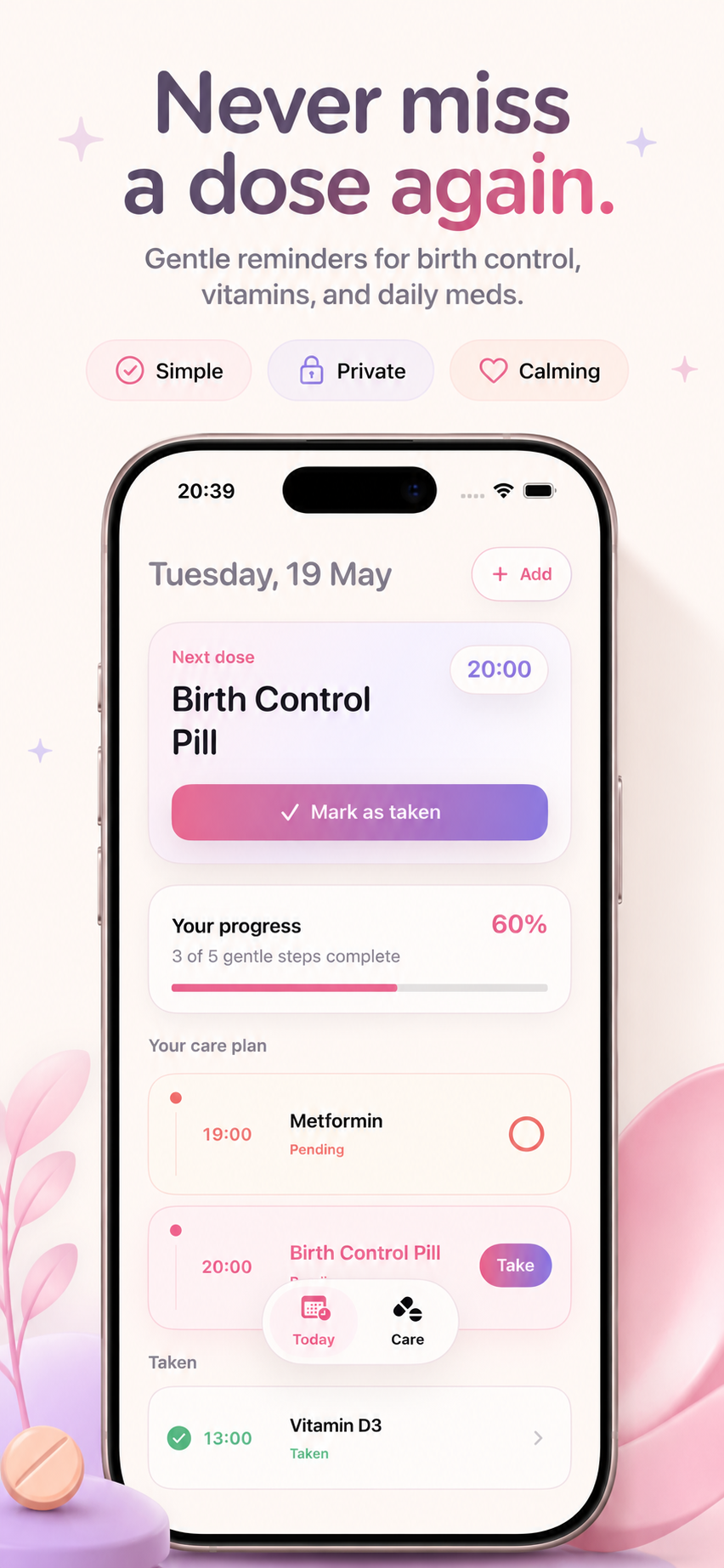
- Pending means attention is still needed.
- Taken confirms the dose was logged.
- Progress shows how much of today is complete.
Read the care plan, progress card, pending state, and taken history without extra mental effort. This guide explains the practical workflow and the small details that make the reminder feel calm instead of stressful.
Read the care plan, progress card, pending state, and taken history without extra mental effort.
This topic matters when a user wants one less thing to remember and a simple way to confirm that care happened.
These examples map the support topic to everyday medication, vitamin, and routine tracking situations.
Example 1
Review the Taken section to make sure the evening medicine was logged.
Example 2
Look for any pending item before starting the next part of the day.
Example 3
Use the progress card as a quick habit signal instead of opening every medication detail.
Common mistakes
Related guides
Yes. The app language and setup flow work for vitamins, supplements, birth control, and daily medications.
Check iOS notification permission for PillBeacon, then confirm the reminder time inside the app.
Only include what is necessary to understand the app issue. Device, iOS version, and a short description are usually enough.