Need support?
For troubleshooting, bug reports, or purchase questions, email manhnt.bkit@gmail.com. Include your device, iOS version, and what you expected to happen.
Use this support hub for setup, notifications, widgets, privacy, purchase recovery, and everyday medication tracking questions for PillBeacon.
This screen shows the core routine support pages refer to: next dose, progress, pending items, and taken medicine.
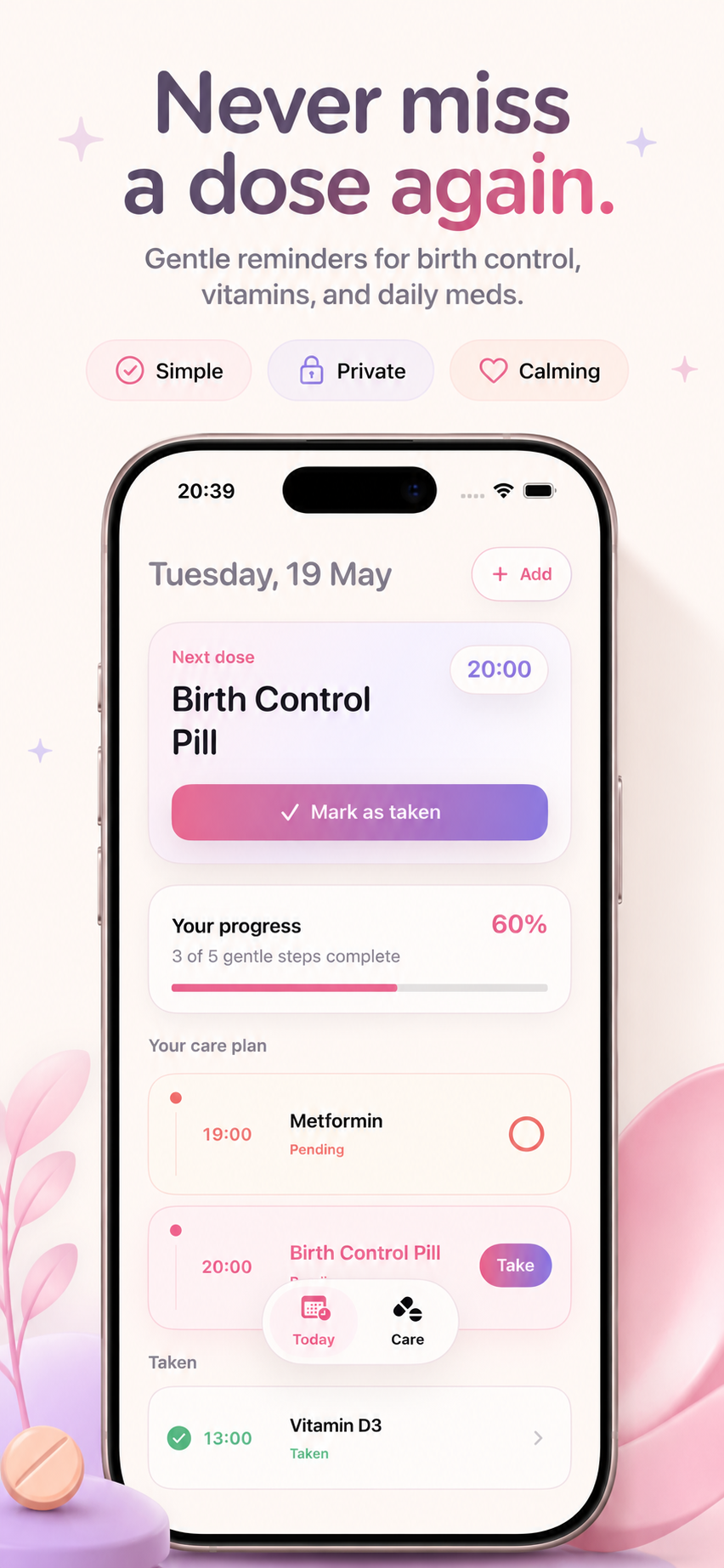
This page keeps routine support steps available while pointing visitors to deeper guides for setup, reminders, widgets, privacy, and tracking.
For troubleshooting, bug reports, or purchase questions, email manhnt.bkit@gmail.com. Include your device, iOS version, and what you expected to happen.
Each article answers a focused question and links back into the same support, product, legal, and contact pages.
Getting Started
Add a medicine, choose reminder times, and start a calm routine in under a minute.
Daily Routine
Use the Today screen, Next dose card, and take action to stay consistent without stress.
Notifications
Let PillBeacon send calm, readable alerts right when a dose is due.
Dose Tracking
Read the care plan, progress card, pending state, and taken history without extra mental effort.
Privacy
Use local-first medication tracking habits and discreet names for sensitive routines.
Vitamins
Create a lightweight supplement schedule that feels supportive, not clinical.
Birth Control
Set a consistent daily birth control reminder and keep the copy discreet if needed.
Widgets
Keep today’s routine visible on the Home Screen so the next dose is easier to notice.
Purchases
Recover premium access with the same Apple ID used for the original purchase.
Support
Send a useful support message with device details while keeping medical details private.
The support hub pairs with the public product page, privacy page, and terms page so customers and reviewers can move between details without guessing.