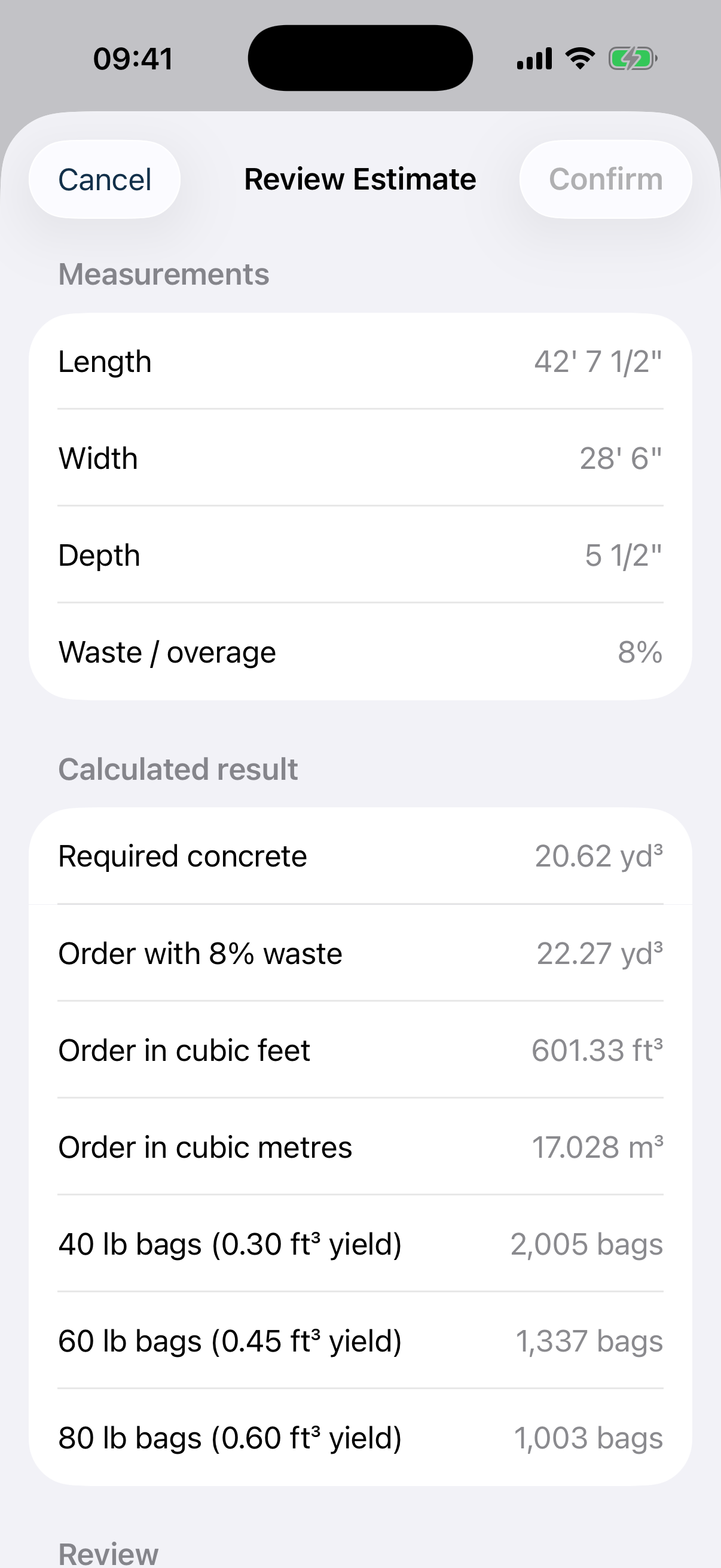
Why is “Order concrete” larger than geometric concrete?
Geometric volume is calculated from the dimensions entered. Order concrete also includes the waste or overage percentage you selected. This allowance is shown separately so it can be reviewed for actual site conditions.
Why must I review measurements before saving or sharing?
Concrete orders are sensitive to unit, dimension, and assumption errors. The review step asks you to acknowledge each field and highlights edited values so the estimate is not treated as verified silently.
Can the app choose my concrete mix or approve structural work?
No. Concrete Estimator Pro does not provide structural design, engineering approval, or code compliance. Confirm strength, slump, exposure, reinforcement, placement, and other specifications with project documents, the supplier, and qualified professionals.
How are US and metric values converted?
The app normalizes geometry using exact international definitions, including 1 inch = 0.0254 m and 1 foot = 0.3048 m. Calculations retain unrounded values; rounding is applied only for display.
Why does a bag, block, mortar, or aggregate result differ from a supplier quote?
These materials depend on manufacturer yield, coverage, density, dry-volume factor, compaction, and site conditions. Replace generic assumptions with the selected product’s published data and verify with the supplier.
What should I do before sharing a PDF?
Review every item, mix group, pour date, order quantity, supplier field, project note, and assumption. PDFs are project records, but they do not replace stamped plans, contracts, purchase orders, or professional review.
What information should I include in a support email?
Include your device model, iOS or iPadOS version, Concrete Estimator Pro version, tool or project screen, exact steps, and a screenshot when useful. Do not send sensitive job or client data unless it is necessary.
Where are the App Store legal and marketing URLs?
Use the product page as the Marketing URL, this page as the Support URL, and the public Privacy Policy and Terms of Use as the legal URLs.