Need support?
For troubleshooting, bug reports, or purchase questions, email manhnt.bkit@gmail.com. Include your device, iOS or iPadOS version, and a short description of what you expected to happen.
Construction Pro helps builders, remodelers, estimators, and serious DIY users work through feet-inch-fractions, roof takeoffs, stair layouts, concrete volume, drywall counts, and square layout checks without carrying a separate handheld calculator. This support hub keeps that help public, crawlable, and easy to use when someone needs a fast answer on site.
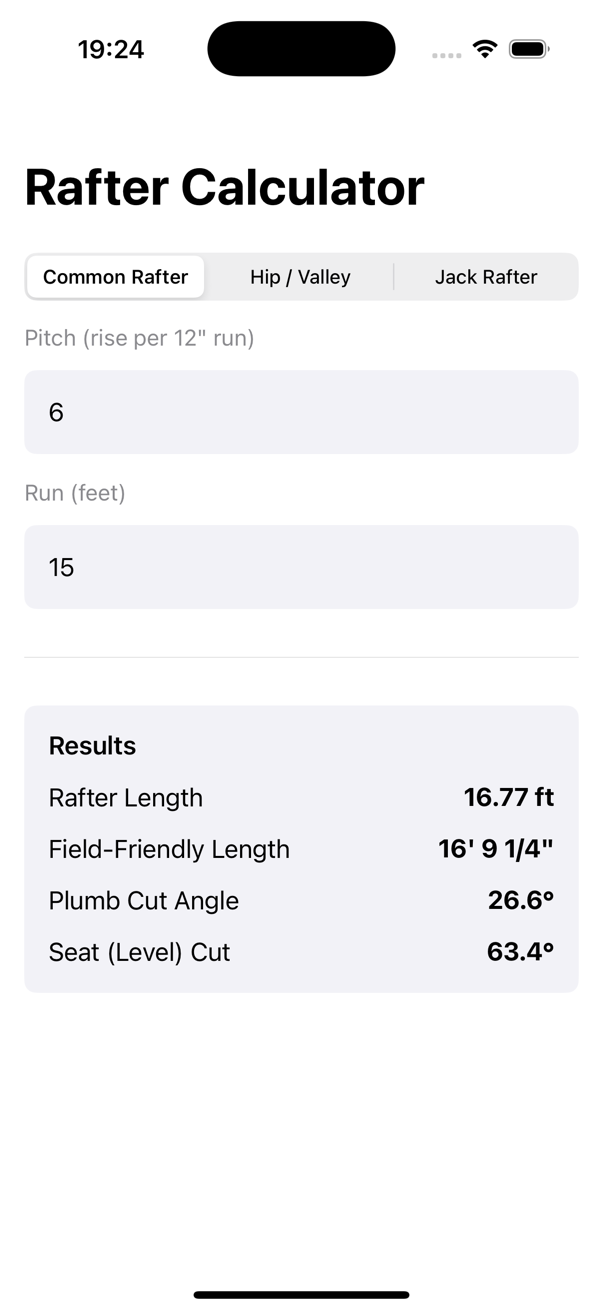
This screen comes from the recorded how-to walkthroughs and shows the app being used in the same kind of real-world framing workflow the support pages are written for.
This page is both a customer support destination and a tutorial index. It keeps routine support steps available while pointing search visitors to deeper worked examples for the tools they are already trying to use.
For troubleshooting, bug reports, or purchase questions, email manhnt.bkit@gmail.com. Include your device, iOS or iPadOS version, and a short description of what you expected to happen.
Open the dedicated index of all public Construction Pro support pages if you want one place to browse every tutorial, help page, and reference link.
Every guide uses current Construction Pro features and screenshots, with explicit units, worked examples, and verification reminders.
Feet, Inches & Fractions
Enter mixed construction measurements directly, calculate them without decimal conversion, and read a tape-ready simplified answer.
Feet, Inches & Fractions
Turn decimal feet or decimal inches into a practical feet-inch-fraction mark, then cycle formats without redoing the math.
Rafters & Stairs
Use roof pitch and horizontal run to get common-rafter length, plumb cut, and level cut without a multi-step Pythagorean calculation.
Rafters & Stairs
Turn total rise into a buildable stair layout with riser count, actual riser height, tread count, and total run.
Material Takeoffs
Calculate slab volume, round up to actionable bag quantities, add waste, and avoid a mid-pour material shortage.
Material Takeoffs
Convert wall and ceiling area into whole drywall sheets, account for openings and waste, and build a defensible material-cost estimate.
Fast Jobsite Use
Set up Construction Pro for quick one-handed field use with stable keys, haptics, favorites, and a screen that stays awake while you measure.
Fast Jobsite Use
Make the calculator easier to read outdoors, keep it awake during measurement, and use tactile feedback without changing the familiar keypad layout.
Verify, Save & Share
Use labeled inputs, diagrams, history, and a repeatable sanity check to catch costly unit or geometry mistakes before material reaches the saw.
Verify, Save & Share
Organize verified math, notes, checklists, photos, and crew handoffs by project so assumptions stay attached to the result.
The support hub is paired with the public marketing page, privacy page, and terms page so App Store visitors and customers can move between product details and support without guessing.