How to Calculate Concrete Volume for slabs without mistakes.
Slab concrete math is simple when the dimensions stay in the right units: length and width in feet,
thickness in inches, then a clean conversion into cubic yards. Construction Pro's Concrete Takeoff also
shows bag counts and applies your chosen waste factor in the same result block.
By Construction Pro TeamLast updated March 29, 2026
App Screenshot
Concrete takeoff screen
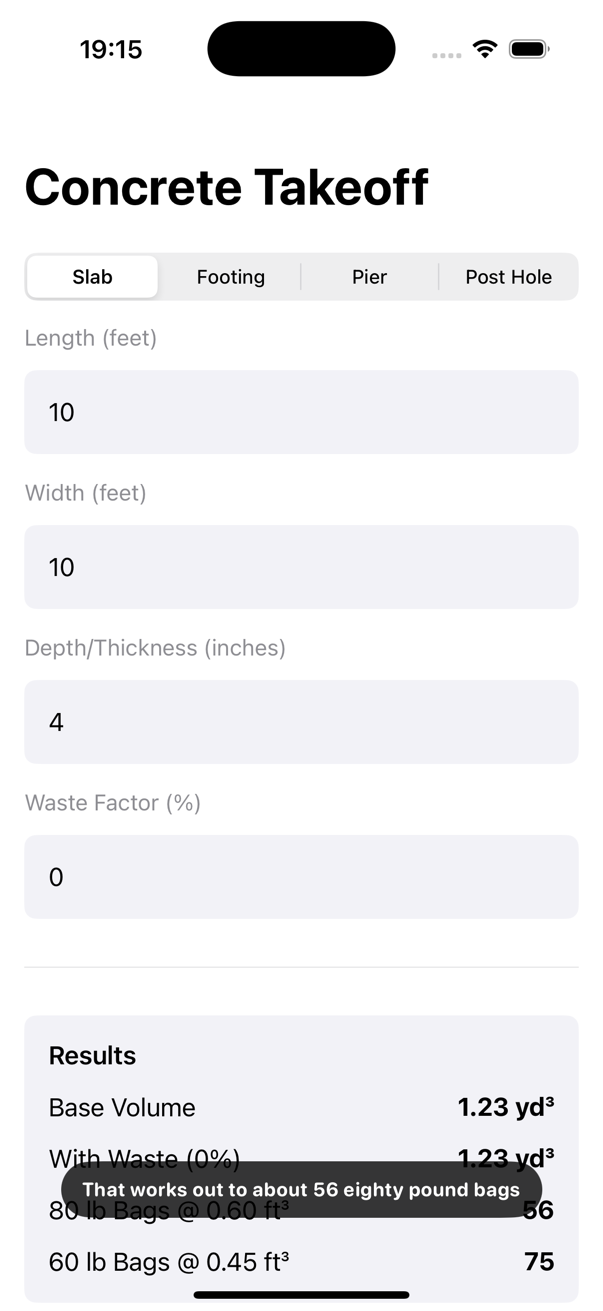
This screenshot comes from the small patio slab pour recording used for this support page.
Recorded slab takeoff screen showing cubic yards and bag-count output inside Construction Pro.
Quick answer
10 ft x 10 ft x 4 in slab: about 1.23 cu yd, or about 56 eighty-pound bags.
24 ft x 24 ft x 4 in slab with 5% waste: base volume 7.11 cu yd, with waste about 7.47 cu yd.
12 ft x 16 ft x 5 in slab with 8% waste: base volume 2.96 cu yd, with waste about 3.20 cu yd.
Field Use
Where slab math goes sideways
Concrete orders get expensive when someone mixes feet and inches or forgets the waste factor.
These checks help on patios, garage slabs, equipment pads, and any small or mid-size pour where
the difference between base volume and order volume matters.
Use it for quick bag-count comparisons before deciding on ready-mix or mix-by-bag.
Use it when a slab thickness changes and the order needs a fast refresh.
Use it when you want a reliable base number before calling in waste.
Worked Examples
Three slab scenarios
These examples follow the slab preset and the current default bag-yield assumptions in Construction Pro.
Example 1
Small patio slab pour
Inputs: 10 ft x 10 ft x 4 in.
A 4-inch slab is one-third of a foot thick, so the base cubic footage is easy to undercount if
you stay in inches too long. Construction Pro calculates about 1.23 cu yd. At
the default 80 lb yield, that is about 56 bags when no waste factor is added.
Example 2
Garage slab section
Inputs: 24 ft x 24 ft x 4 in with 5% waste.
The base volume works out to about 7.11 cu yd. Once the app applies
5% waste, the ordering number becomes about 7.47 cu yd. That
gap is exactly why a visible with-waste line is worth having on the estimate screen.
Example 3
Shed equipment pad
Inputs: 12 ft x 16 ft x 5 in with 8% waste.
A slightly thicker pad pushes the base volume to about 2.96 cu yd. With
8% waste, the result becomes about 3.20 cu yd. That is the
more useful number for ordering because it leaves room for jobsite loss and finishing realities.
Common mistakes
How slab math gets inflated or undercut
Using slab thickness in feet without converting from inches correctly.
Ordering only the base volume and skipping a realistic waste factor.
Assuming every bag yield is the same instead of checking the setting.