Quick answer
- 432 sq ft gross, no openings, 4x8 sheets: 14 sheets.
- 500 sq ft gross, 68 sq ft openings, 4x8 sheets: net area is 432 sq ft, still 14 sheets.
- 960 sq ft area, 4x12 sheets: 20 sheets before waste.
Drywall takeoff gets easier when the estimator separates gross area, opening deductions, sheet size, and waste. Construction Pro's Drywall / Siding tool uses that exact order so you can compare 4x8, 4x10, and 4x12 sheet counts without rebuilding the whole estimate every time.
This screenshot comes from the long wall sheet-count recording used for this tutorial.
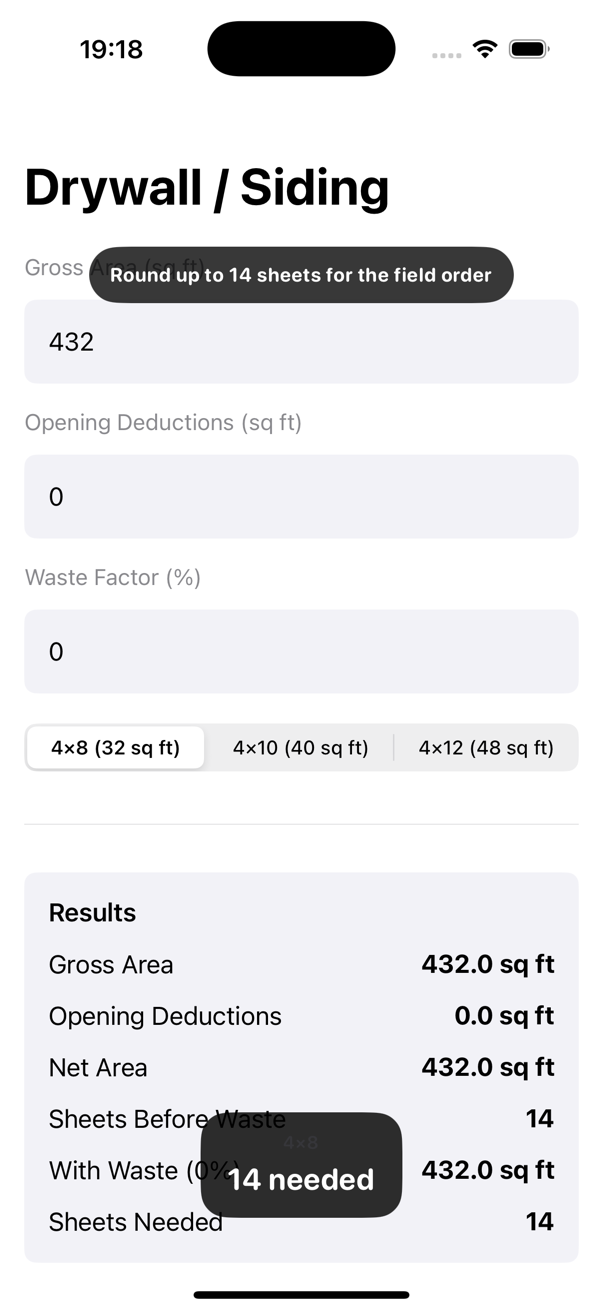
Drywall and siding counts move quickly when openings, ceiling areas, and sheet lengths all shift the total. This workflow is useful for a fast material run, a bid check, or a room-by-room interior finish estimate.
These examples align with the current Drywall / Siding calculation flow in the app.
Example 1
Inputs: 432 sq ft gross area, 0 sq ft openings, 4x8 sheets.
With no deductions, the net area stays at 432 sq ft. Since each 4x8 sheet covers 32 sq ft, the raw count is 13.5 sheets, which rounds up to 14 sheets.
Example 2
Inputs: 500 sq ft gross area, 68 sq ft openings, 4x8 sheets.
Once the 68 sq ft of openings are subtracted, the net area drops back to 432 sq ft. That means the takeoff still lands at 14 sheets, which is a helpful reminder that gross area alone can be misleading.
Example 3
Inputs: 960 sq ft area and 4x12 sheets.
A 4x12 sheet covers 48 sq ft, so this ceiling needs exactly 20 sheets before waste is added. This is the kind of situation where changing sheet length makes a big difference in the order.
Common mistakes
Related guides
Yes. As long as you enter the correct gross area, the sheet-count logic is the same.
It helps separate the clean theoretical count from the practical order count after waste is applied.
The tool is labeled Drywall / Siding because the same area-based sheet logic can help in both cases.
Construction Pro keeps gross area, deductions, and final sheet counts together so material decisions move faster.