Quick answer
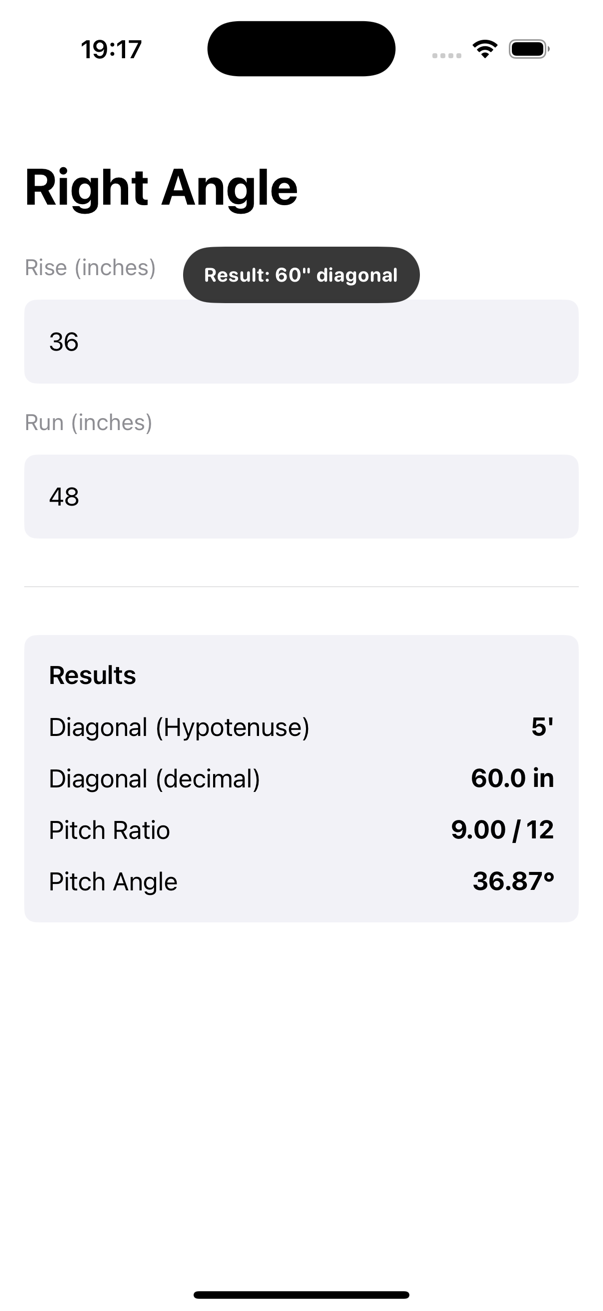
- 36 in rise and 48 in run: diagonal is exactly 60 in.
- 12 ft rise and 16 ft run: diagonal is exactly 20 ft.
- 96 in rise and 128 in run: diagonal is 160 in, or 13'-4".
Square layout depends on the relationship between rise, run, and diagonal. Construction Pro's Right Angle tool turns those entries into a diagonal, pitch ratio, and pitch angle so you can check slab corners, foundation lines, and wall layout without doing the square-root math by hand.
This screenshot comes from the small slab layout recording tied to this right-angle guide.
Right-angle verification shows up before concrete, before framing, and before finish work when a room has to stay square. It is one of the simplest calculations to verify, but one of the easiest to mis-enter if the crew mixes feet and inches.
These examples follow the Right Angle tool exactly, including its inch-based inputs.
Example 1
Inputs: 36 in rise and 48 in run.
This is the classic 3-4-5 scaled layout check. Construction Pro returns an exact diagonal of 60 in, which confirms a square corner and gives the crew a clean number to tape quickly.
Example 2
Inputs: 12 ft rise and 16 ft run.
Enter these values as 144 in and 192 in in the app. The diagonal lands at 20 ft, which is the scaled-up version of the same 3-4-5 relationship and a dependable foundation check before concrete work starts.
Example 3
Inputs: 96 in rise and 128 in run.
For room layout or wall framing, the diagonal works out to 160 in, or 13'-4". That makes it easier to confirm the room is square before backing material hides the problem.
Common mistakes
Related guides
The Right Angle tool is designed around the same unit system used for many field layout checks, which keeps small values easy to compare.
Yes. They must use the same unit or the diagonal result will be wrong.
Yes. The tool also reports a pitch ratio and pitch angle from the same rise and run inputs.
Construction Pro turns rise and run into a diagonal fast, which is exactly what you want when the layout crew is waiting.