Quick answer
- Enter the decimal value and identify its unit.
- Calculate or convert the value in the core calculator.
- Tap the displayed result to cycle through available measurement formats.
Turn decimal feet or decimal inches into a practical feet-inch-fraction mark, then cycle formats without redoing the math.
This image is from the current Construction Pro project and shows the product interface behind this guide.
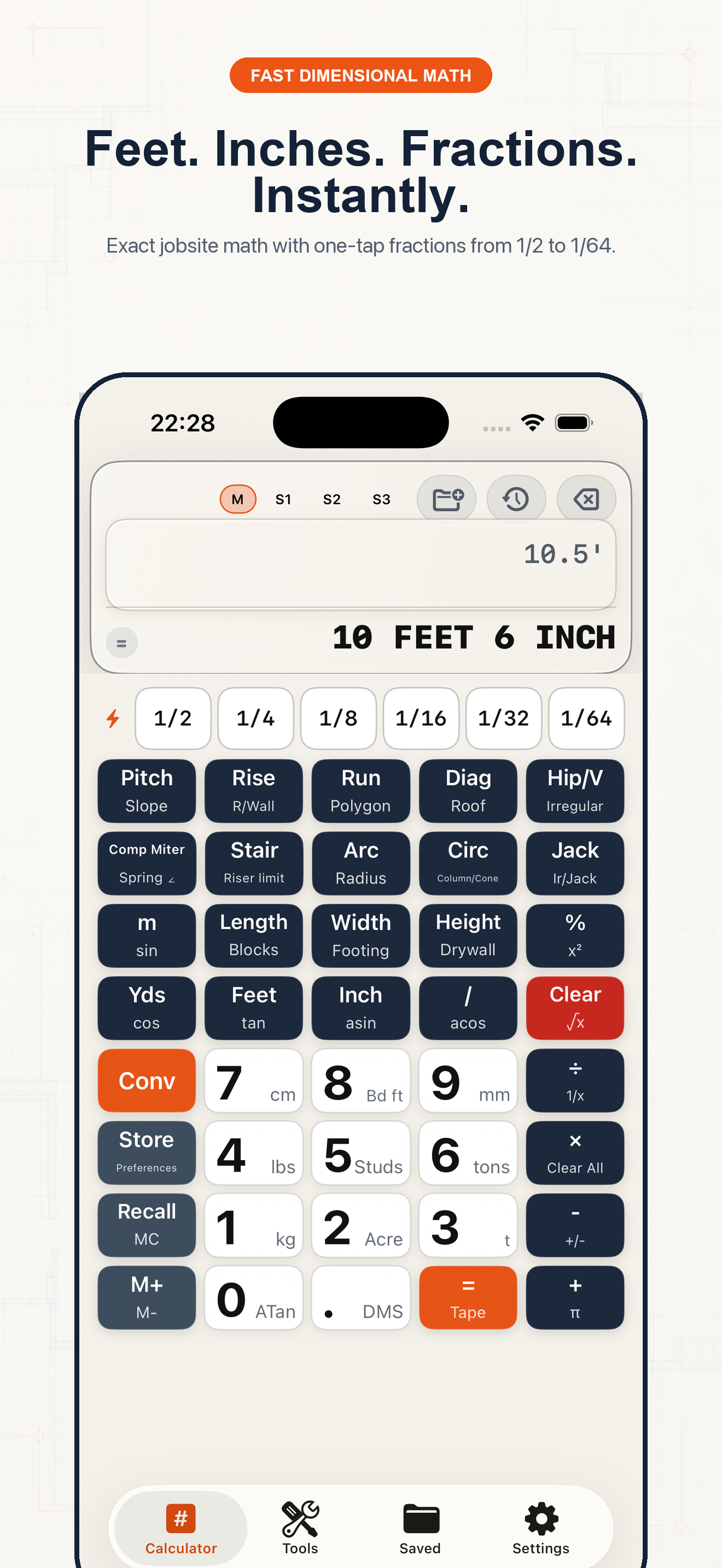
Follow the sequence and keep units visible at every handoff.
Step 1
A value such as 10.5 ft is different from 10.5 in. Confirm the unit before converting.
Step 2
Type 10.5 and tap Feet. Construction Pro stores the length rather than treating it as an unlabeled number.
Step 3
10.5 ft becomes 10 ft 6 in. For a value such as 8.15625 in, use 1/32-inch precision to display 8 5/32 in.
Step 4
Use the smallest increment your tools and material can support. More digits do not make a field measurement more accurate.
Example 1
Convert 24.625 ft to 24 ft 7 1/2 in for a tape layout.
Example 2
Convert 17.375 in to 17 3/8 in for a saw stop.
Example 3
Use the Unit Converter when the source is millimeters, then read the imperial result at the chosen fraction precision.
Common mistakes
Related guides
No. Confirm measurements, units, assumptions, and applicable code before cutting material, ordering supplies, or issuing a quote.
No. Its calculators use explicit formulas and the inputs you provide; missing field conditions still require professional judgment.
Yes. Save verified calculations in a project and add a descriptive note so the crew can see what the result means.
Use feet-inch math, rafter tools, material estimates, and saved calculations from one construction calculator.